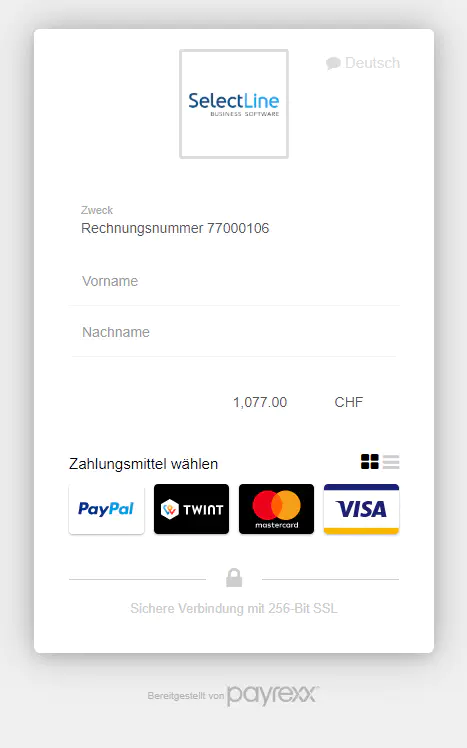
SelectLine Software helps you to organize your office administration as simple and as efficient as possible. Integrate Payrexx in SelectLine and offer your customers the possibility to pay their bills fast and uncomplicated.
Create a Payrexx account
Install the virtual terminal
Open SelectLine order
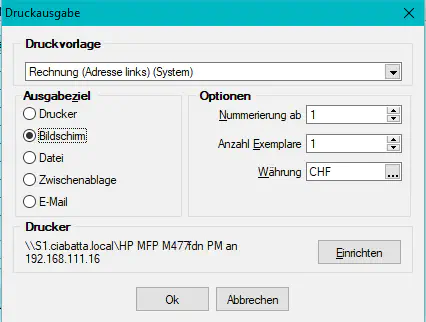
Navigate to the form editor. To achieve this, click on “Print > Print templates > Output” and choose “Monitor”. Afterwards, you can confirm the selection by pressing “OK”.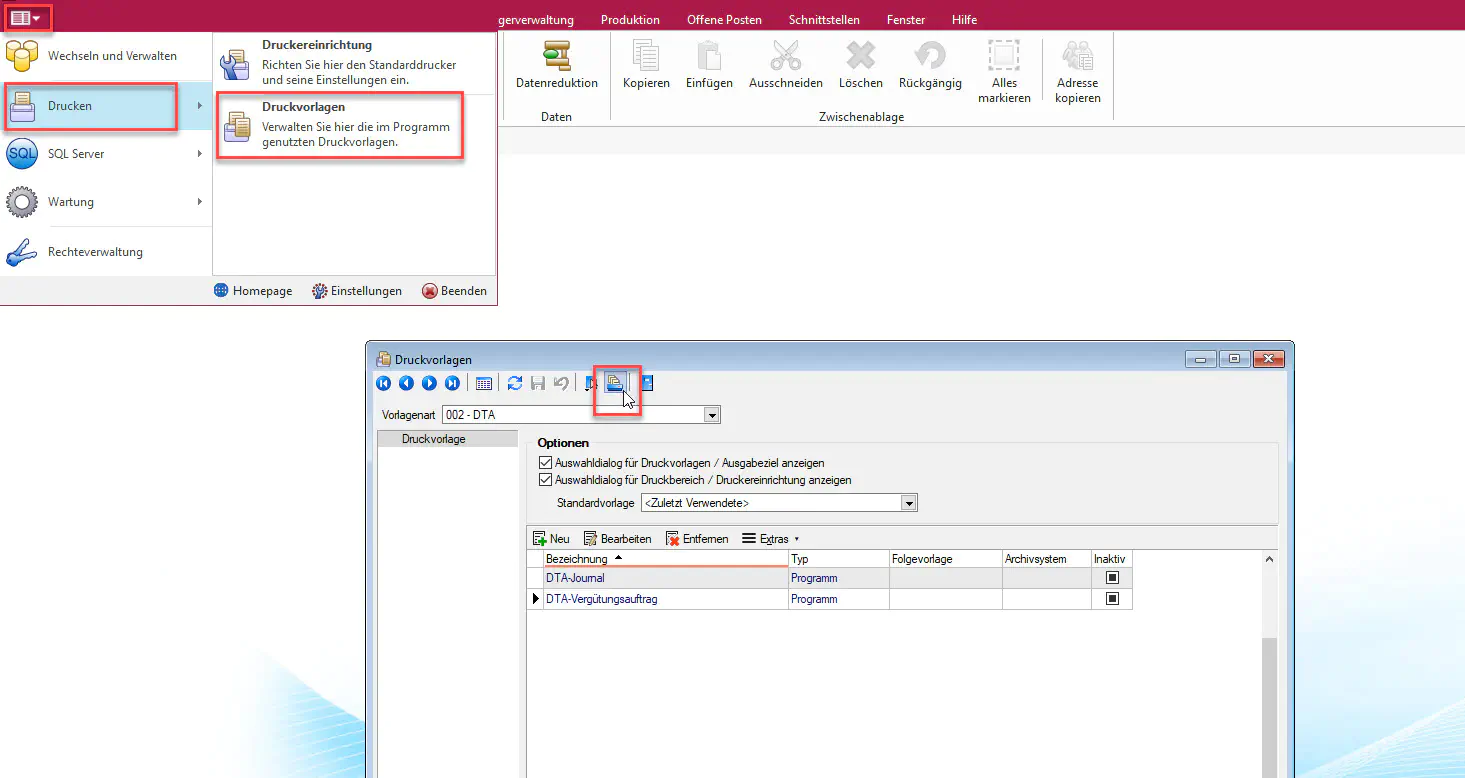
Edit the template
By right clicking in the document or directly pressing the F12 key you can edit the model.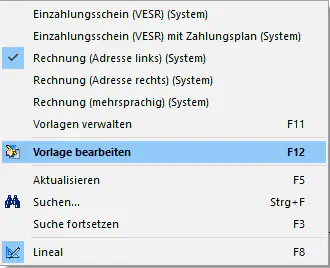
Insert the Payrexx link
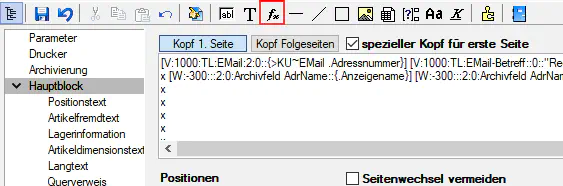
Click on “fx” and add the link of your virtual teminal.
Enter fixed components
Within your Payrexx link (e.g. https://selectline.payrexx.com/de/vpos?amount=) you can define fixed components. To do this, you need to link the variables from SelectLine to fixed text with +. (e.g. “text”+{data field}+“text”)
Choose the most important data fields
These are the most important data fields - give those away as fixed components:
{.FremdwaehrungBrutto}: Amount inclusive VAT
{.Waehrungscode}: Currency
{.Belegnummer}: Document number
{.VESR Referenznummer}: Reference number as on payment slip
{.Adressnummer}: Customer number
In the end this might look like this: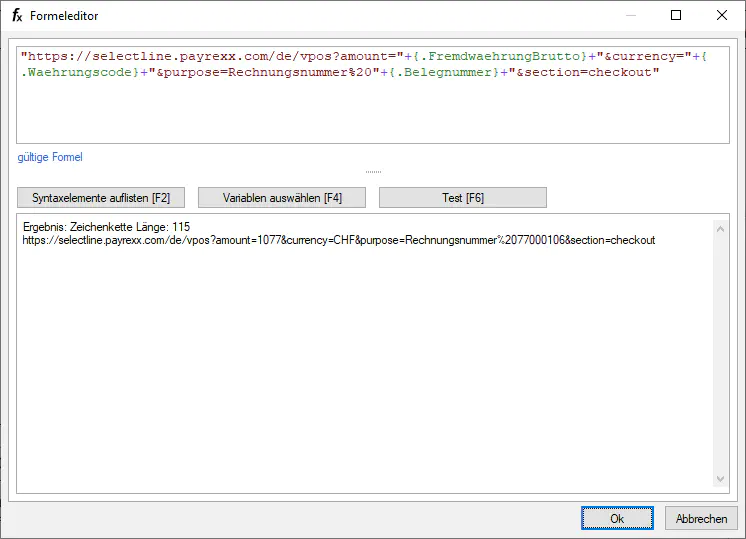
Inspect the bills
The bills might look like this for example:
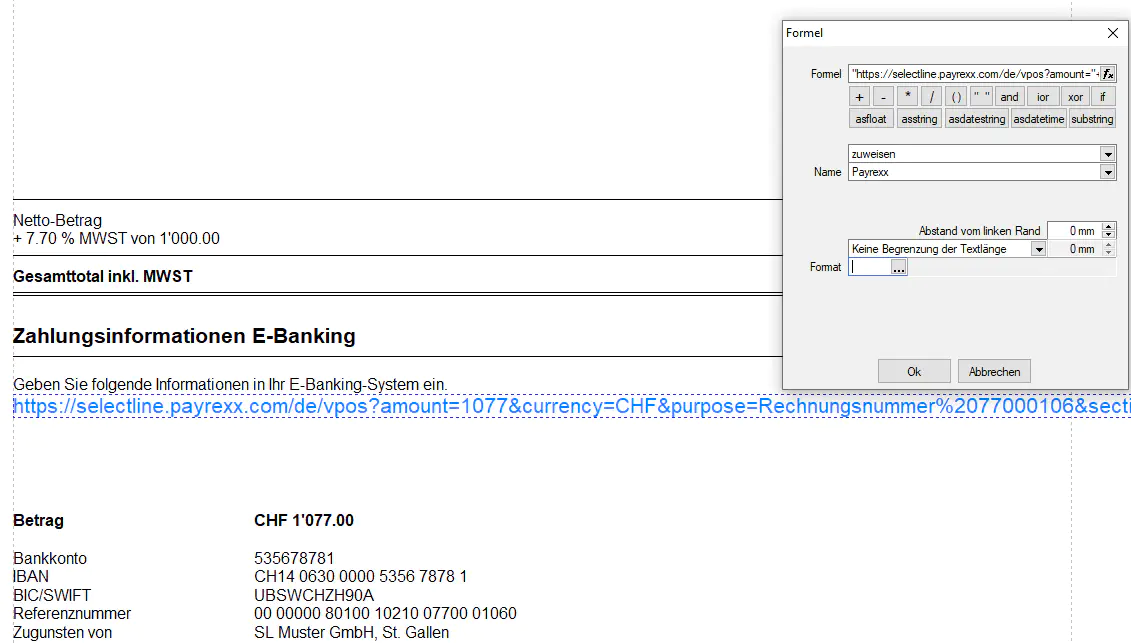
Your customers are then being redirected by the link to the Payrexx window and can pay their bill with their desired payment method - uncomplicated and fast.