General
Links
- Link to Login Form of the given payment provider
- Link to the marketing website of the payment provider
Features
Payment Types
- ✅ One Time Payment
- ❌ Refund
- ❌ Partialrefund
- ✅ Recurring Payments (Subscription)
- ✅ Tokenization
- ✅ Preauthorization
Available Payment Methods
- Mastercard
- Visa
- eps-Überweisung
- Maestro
- PayPal
Setup
Configuration - BS PayOne
Sign in to your BS PAYONE merchant interface using the following link: https://pmi.pay1.de/
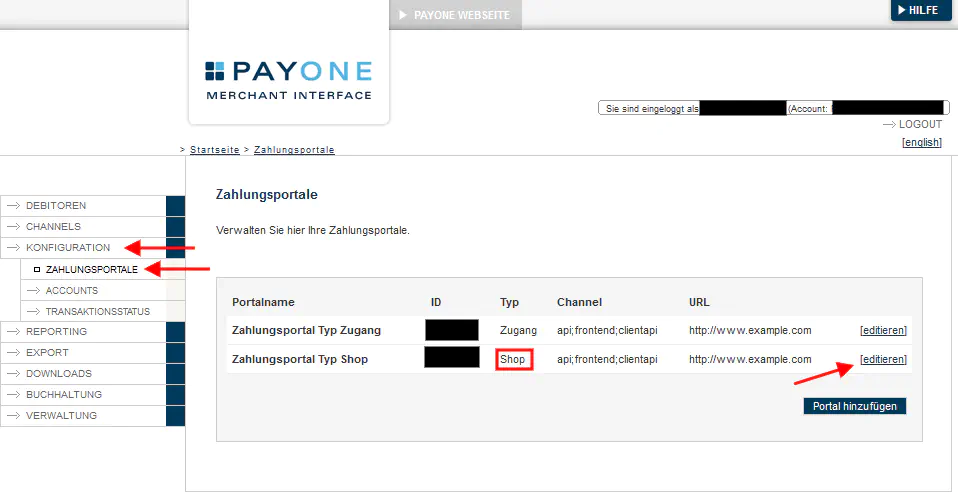
Choose “Configuration > Payment Portals”. Afterwards, click on “edit” on a payment portal of type “Shop”:
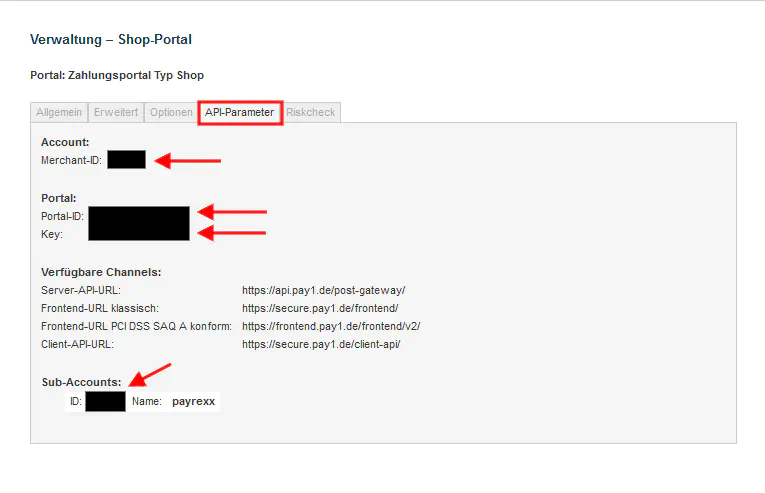
Under the slider “API-Parameter” you can copy the fields “Merchant-ID”, “Portal-ID”, “Key” and “Account-ID”.
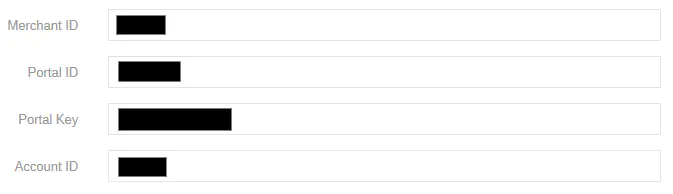
This information needs to be added to the settings page of PAYONE (Payment providers > BS PAYONE).
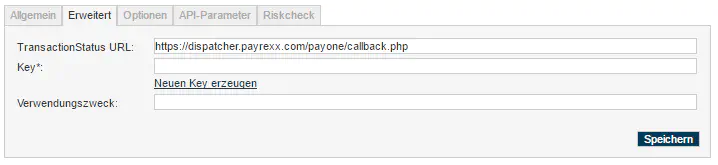
Open the slider “Extended”, copy and add the “TransactionStatus URL” similar to in the picture below. For this, you can copy the line below.
https://dispatcher.payrexx.com/payone/callback.php