After contracting with Virtual Card Services, you will receive the following from their support:
- Terminal ID
- Username
- Password
Log in to https://www.vcs.co.za/vvonline/login.asp with your username and password.
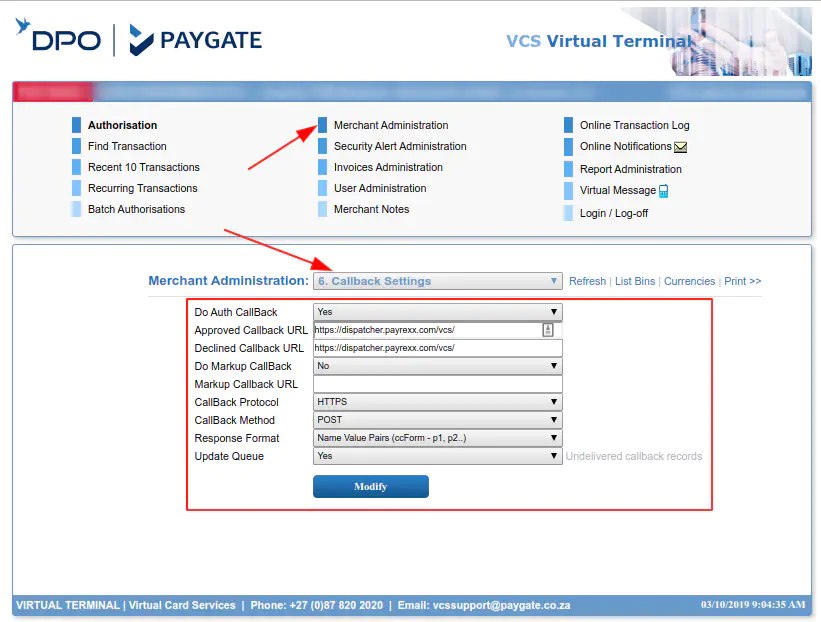
Navigate to Merchant Settings > 6. Callback Settings and enter the URL: https://dispatcher.payrexx.com/vcs/
and CallBack Protocol / CallBack Method as shown in the image down below:
Please ask the support at vcssupport@paygate.co.za for generating a MD5 Key.
You will need to enter your Terminal ID and the received MD5 Key in the Payment Service Provider settings in your Payrexx merchant backend.